GOOD user experience
Coke Vending Machine UX
I was having dinner last night with my wife and daughter at Pei Wei and observed the new Coke vending machine being treated like a celebrity. Customers were flocked around it like it was the newest arcade game at Dave & Buster’s. It takes the user experience of buying a fountain drink to a new level. Who remembers the talking coke machine of the 1980s? This is not that.
http://brandsofcola.com/coca-cola-freestyle-vending-machine.htm
Candy for the budget minded shopper
I love Groupons. Each day I get an email for a business in my area that is having a promotion. The company has it set so the deal is only good if enough people buy. I get deals 50%-70% off on restaurants, fun activities for the family, massages, pedicures, etc. I am totally addicted. And the great part is that you don’t have to print off your receipt. Droid and iPhone have apps so you can just pull it up when you get to the business. All functionality is available in the apps so you can also buy from your phone so you don’t have to wait until you get to the computer.
Amazing World Cup Calendar
A friend of mine send me this link to a world cup calendar just before the Soccer world cup was supposed to start. The simplicity of the calendar is incredible. The user has to just hoover over the elements of the calendar to get all the information about the matches
http://www.marca.com/deporte/futbol/mundial/sudafrica-2010/calendario-english.html
Prezi.com
I love this site for creating presentation experiences that go above and beyond MS Powerpoint. It’s interactive, interesting and visually appealing. Though the presentation creation tools themselves need a little tweaking, this product will by far make any business presentation infinitely better for your audience.
Nurse’s Analog Watch
Devoid of extraneous decor and gadgetry, the “nurse’s watch” has just the important details, numbers, hands in a readable analog dial. This no nonsense approach is critical to enabling nurses to easily measure a heart rate in beats per minute while taking a patient’s pulse. It’s always there on the wrist and it’s always on and ready for use. What could be handier?
A massive return to analog after the digital era proves the analog watch is not just for nurses.
The Expert’s ToolBelt
The tool belt keeps the most frequently used tools available, literally at the user’s fingertips.
One summer while I was in college, I had an opportunity to apprentice for an electrical contractor in new construction. I learned a great deal from the journeyman electricians, especially about tools and productivity.
The company on-site job shack had large tool boxes filled with specialized tools for every kind of task. However, the vast majority of work was done with what was in the journeyman’s tool belt.
Lesson: A large comprehensive set of just-in-case tools is good to have; but if you really want to be productive, put a small set of very powerful and versatile tools at the fingertips of experts. And they’ll show you how it works.
Google Calendar
I use Google Calendar daily — make that hourly (I’m an obsessive type-A scheduler). It’s almost always a good experience.
The Web interface is simple and direct. Google has done a good job of making the most typical actions really easy to perform.
Want to add a new appointment? Just click on the calendar. A new appointment appears in “uncommitted” state, with a bubble asking you to provide a name for the appointment. Easy.
Want to reschedule an appointment? Just click & drag.
More advanced options are pretty easy to use, too. Setting up recurring calendar items is quite intuitive, espeically with the summary readout that tells you plain language when you appointment will recur.
There are also advanced features such as keyboard shortcuts that provide greater efficiency for power users.
Google has done a nice job with the Calendar application. The more I use it, the more I want to use it!
3D Mouse

The 3D mouse provides an amazingly intuitive and efficient means for navigating, or manipulating objects, in virtual space. A newer generation of the SpaceBall, initially invented for very high end CAD workstations, it works in a very straightforward manner. The hand rests over this simple cylindrical object which is sensitive to touch. Directional hand nudges are translated into equivalent virtual motion on the screen.
Users can make continuous adjustments to the view with their non-dominant hand, allowing them to work continuously with their dominant hand on the primary task. No need to repeatedly switch out of the drawing mode and into the change view mode and back. This means greater efficiency, concentration, and less irritation to the user trying to remain focused on the task.
It also mimics the way an artist might rotate an object in the left hand while working on it with a tool held in the right hand.
Though the 3D mouse was designed for 3D environments it also works extremely well with some 2D graphical programs such as Photoshop.
And the experience of using GoogleEarth with a 3D mouse is freaking spectacular!
Why rebels and insurgent groups the world over love the Toyota Hilux pickup as much as their AK-47s.
http://www.newsweek.com/2010/10/14/why-rebel-groups-love-the-toyota-hilux.html
Calculator “equals” button
All of the buttons on this calculator are the same size — except for the total or “equals” button, which is twice as tall.
That button is also located in the lower-right of the keypad.
I think the size and location of the button underscore its important function, and make operating the calculator easier and more enjoyable.
BAD user experience
Cubase Product & Forum Registration
Slightly complex this one so please bear with the long rant below.. music sequencing software isnt easy stuff! so…
First you have to create a MySteinberg account. Then you are allowed to Regster your newly bought product (Cubase), however there are two parts to this – a USB dongle, and a ‘Soft e-licenser’. The third area of concern is the forum, which is an excellent resource for resolving issues.
So how to register – Inside MySteinberg I easily navigate to the right area ‘Product Registration’ whereby Im presented the screenshot Ive attached; As you can see it offers me three options regarding what I should want to register – so I opt for the vague but logical top one; based purely on the handy pop-out Help/Question mark (notice the ‘or’ aspect to the header text). I click and go through; Im then shown the option of inputting one of the assumed two numerical values/serial numbers and a ‘name’ field (which has no purpose only as a personal reference to this action), so I input one of the serial numbers, assuming thats enough to go through to the forum and start posting in the only areas Steinberg allow me to post in forum, now Im a fully paid up and registered member! WRONG!
Apparently, I then have to go back to the same page, using the same input fields and input my other serial number, again, using the same input fields?! where did it tell me I had to do both actions – nowhere. I had to seek information from a forum moderator to find this out! Why not just have two sets of grouped input fields: one for one serial number and another below for the other serial number; then submit them both, in one hit.. hardly Quantum Physics in Icelandic is it?
Apparently you can register for the forum (just to read, not post), then you can lightly register a product (again, just to read not post), but you have to register every serial number they give you to be able to post in the forum – but using only input field, on the one page, but requiring two different submittal processes – oddest form Ive ever had to enter; Never been asked to fill out my name and address in this manner.
Stove hurts :(
The top image shows the stove. The stove has clear graphics that display exactly which burner the dials control.
The bottom image shows a stove concept. This concept has dials directly adjacent to the burners. You cannot place large pots on these burners because of the dials blocking their way. It is hard to adjust the temperature of the burner once a pot is placed on it because of the extremely close proximity of your hands to the dials. This stove concept hurts
ClearQuest+ClearCase
Two tools that make a software developer cry. They’re not only ugly and unintuitive, but also slow, oversophisticated, buggy and just lacking lots of important features.
Just take look at this: if you want to rollback changes in a file (e.g. current version is 6, you want to go back to ver4), you need to get this ver4 (CC will save it in another file), open ver4 in editor, ctrl-a, ctrl-c to copy content to clipboard, close editor with ver4, checkout current file, open checked out file in editor, ctrl-a,ctrl-v to paste content from clipboard, close editor, checkin file. Finally, pray that you haven’t messed up anything. If you have changed 50 files in last checkin and want to rollback them all, it’s 50 prayers.
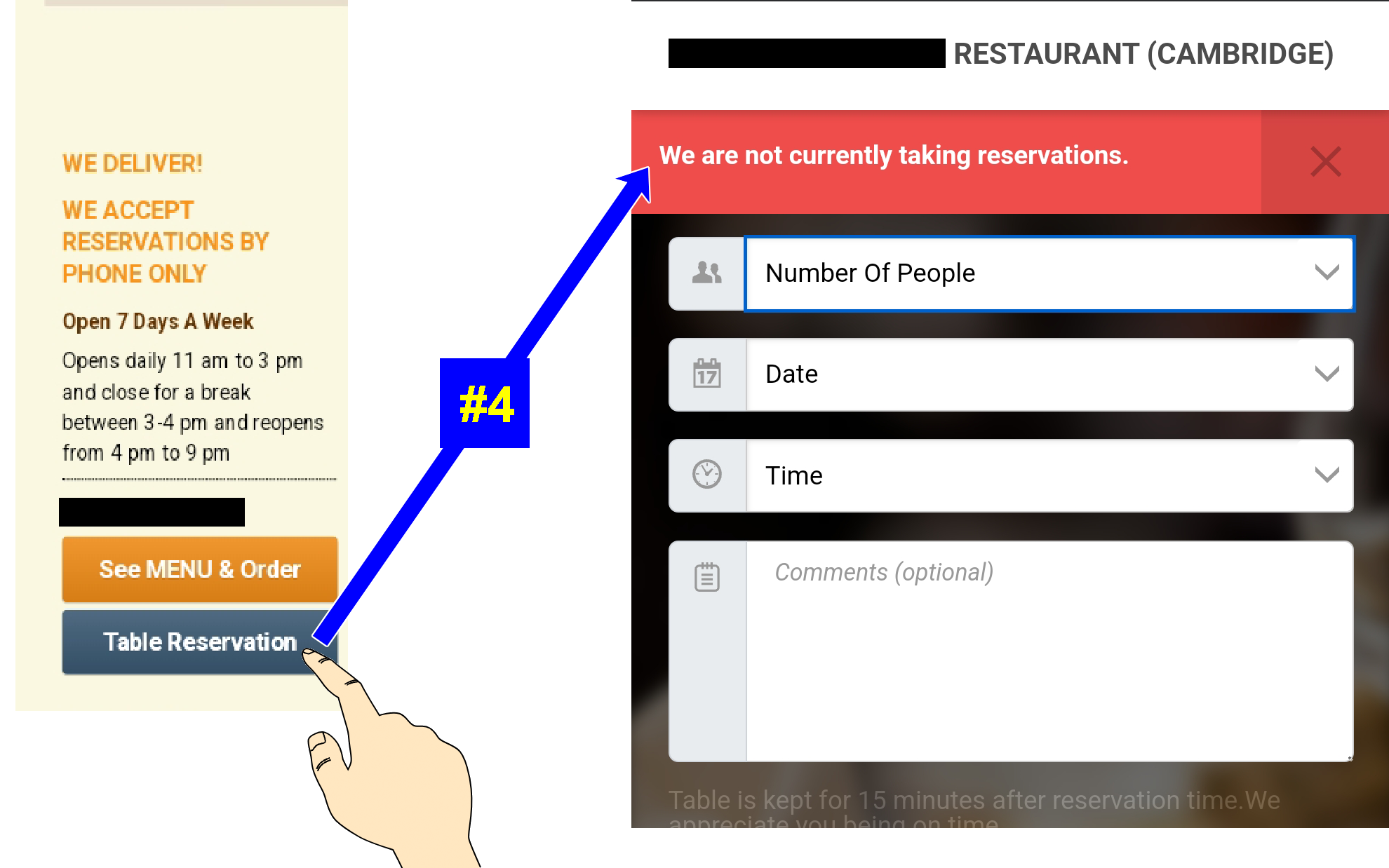
KRONOS Request Type 1
If I want to request a time-off, I am presented with a window with two Request Types (and what is Request Type?). One of this is formatted almost correctly (it has this strange gray stars, probably it means it is required), second one has many problems – like alingment, font sizes and so on… just look at the screenshot. It works, but it looks awfull, and is not obvious at the first try. At the first try I thought, it is bad form, I do not want to request 2 different vacations.
Why not a single request with ADD NEXT button. Why two and not one, not three? Maybe someone found a javascript code that opens a popup window with size (650, 700) and there was too much free space, so they filled it with Request Type 2
.”
Choose “START” to stop/shutdown your windows
It’s not very intuitive:)
DPM Tool – annual review nightmare
It took me really long to write my annual report only to get this error message when i tried to submit it…
and now I have to write it again..
Taking customer service to a new level …
Noticed this in my first few weeks at Sabre; one of the error dialogs in a customer-facing app simply said:
“In case you see this error, contact ”
Krazy Kronos
How many users know that when you request time off in the Kronos tool that it knows about holidays and weekends? Instead of requesting Holiday time off from 12/20-12/23 and then 12/27-12/30, you can make just one entry: 12/20-12/31. It subtracts the two holidays and weekend.
Just discovered this lately.
Teeny Feet!
Search for shoes by your size. Select your shoe. But, if you do not re-select your size before adding to your cart (even though it’s defaulted to your size), it defaults to the smallest shoe size they have in stock. (This explanation is straight from their Customer Service rep.)
Yes, I’m returning very small shoes…
Poor error messaging
Useless error messaging is an epidemic on the Web. The user needs to know how to fix the problem or report it to someone who can help. In this case, the Error Code number and an Authorization Code label mean nothing to the user. “Transaction Details: Declined” is redundant with the header. There are no instructions to fix the problem, and I have no idea why my payment failed. BAD UX!
Date Change, A Daily Event
Every morning it is the same thing. The first time I go to the menu system on my Charter cable box each morning, I receive a message saying that it is changing the date of my box. It knows the date in which to change to (as evident in the photo), but it must tell me anyway.
The most frustrating part is that it takes close to 5 minutes to actually do it. And when I go to cancel (which I almost always do), it gives me the channel line-up but with no programming information. Never has it taken only a few seconds to complete.
If this ‘date change’ needs to happen on a daily basis (which it does) it should just happen behind the scenes. I should not have to initiate it each day.
Klunky Self Checkout
Too many seperate parts, not well integrated.
No wonder it still requires a checker checking the self-checkout.
The first time I used one of these, I was so annoyed by it scolding me for not placing my items in the bag correctly that I forgot I had asked for $60 cash back, even if i had known where to look for it. The customer behind me saw this and pocketed my cash. Luckily, the store clerk saw them take it and got it back for me. Still, it was a long time before I would try to use one of these again.
Unclear Printer Controls
I’m never quite sure if the printer will work or what to do to fix it when it doesn’t work. Lights flash and menus don’t really follow standard UI conventions very well. I usually wind up rebooting a couple times and wasting a few sheets of good photo paper and ink to get one good print.
When I do get it to print, the quality is pretty good, but due to my frustration, I am planning to ditch it in favor of a printer with a better UI.
I’ll have a cup of bright light, please! No ice.
This one just cracks me up.
This is the control interface for a refrigerator door ice and water dispenser.
Everyone knows how these things work, right? You put your cup in the recessed space under the controls, and push in the little lever. That activates the ice or water to come pouring into your cup.
But look at the control interface.
On the left: ice.
On the right… light? LOL
Stove top controls
The controls for this stove top (range) are easy to misunderstand. The thumbnail image is small, so you might need to click on it to view the full-sized image.
You’ll notice next to each of the four dials there are four circles. The red circle indicates the position of the range element controlled by that dial.
This is fine, but if you’re in a hurry and you don’t look at the diagram and think about it, you just grab the dial that intuitively makes the most sense to control the element you want turned on.
Quite often I will put a pot on one of the front range elements, but turn on the control for the rear element. I think there are two reasons for this.
One, the control for the rear element is directly in line behind the front element. I’m not thinking that the control I need is actually shifted off to the side.
Two, the control for the rear element is shifted higher, vertically, above the adjacent control for the front element. In my mind, being positioned “higher” indicates that dial controls the range element in the “front” of the stove top.
It’s not something that logically makes a lot of sense. It’s an intutive thing. I’m sure the designers didn’t really expect users to be confused and turn the wrong dial. But in the real world, I turn the wrong one quite frequently — and I’ve been using this stove top for years!
Swiveling bar stool
This swiveling bar stool offers not only a bad user experience, but a dangerous one.
The seat swivels around so easily that it’s hard to sit down on safely. You either have to hold the seat steadily in place while you transfer your weight upon it, or you have to plop down quickly, squarely in the middle of the small seat, so it doesn’t turn. Otherwise, it WILL turn — quickly — and you’re likely to go flying off of it and onto the floor.
This isn’t a huge problem if you’re aware of the easy swiveling action. But for unsuspecting guests, it can be an unpleasant surprise. The seat is about three full feet off the floor, too high most people to easily sit on, anyway.
Ejected Mac User
This Macintosh Performa 6115CD computer was in shared workspace for guests to use. It had an elegant appearance with the elements arranged in a sort of symmetry. The front design was well balanced, having two drive bays, a CD drive on the left and a Floppy drive on the right. Conveniently placed directly beneath the right end of each drive was a button. The button under the CD drive on the left ejected the CD, the button under the floppy drive on the right turned the power off. OMG!
This also had the effect of turning users’ faces suddenly as pale as the screen suddenly turned dark. That was a different sort of symmetry.
Naturally, this was a training issue, because as any faithful Macintosh person knows that you never push an eject button to eject a disk. You find the floppy disk icon on the desktop and then you drag the disc into the trash can. Silly users!
Elevator Button Icons

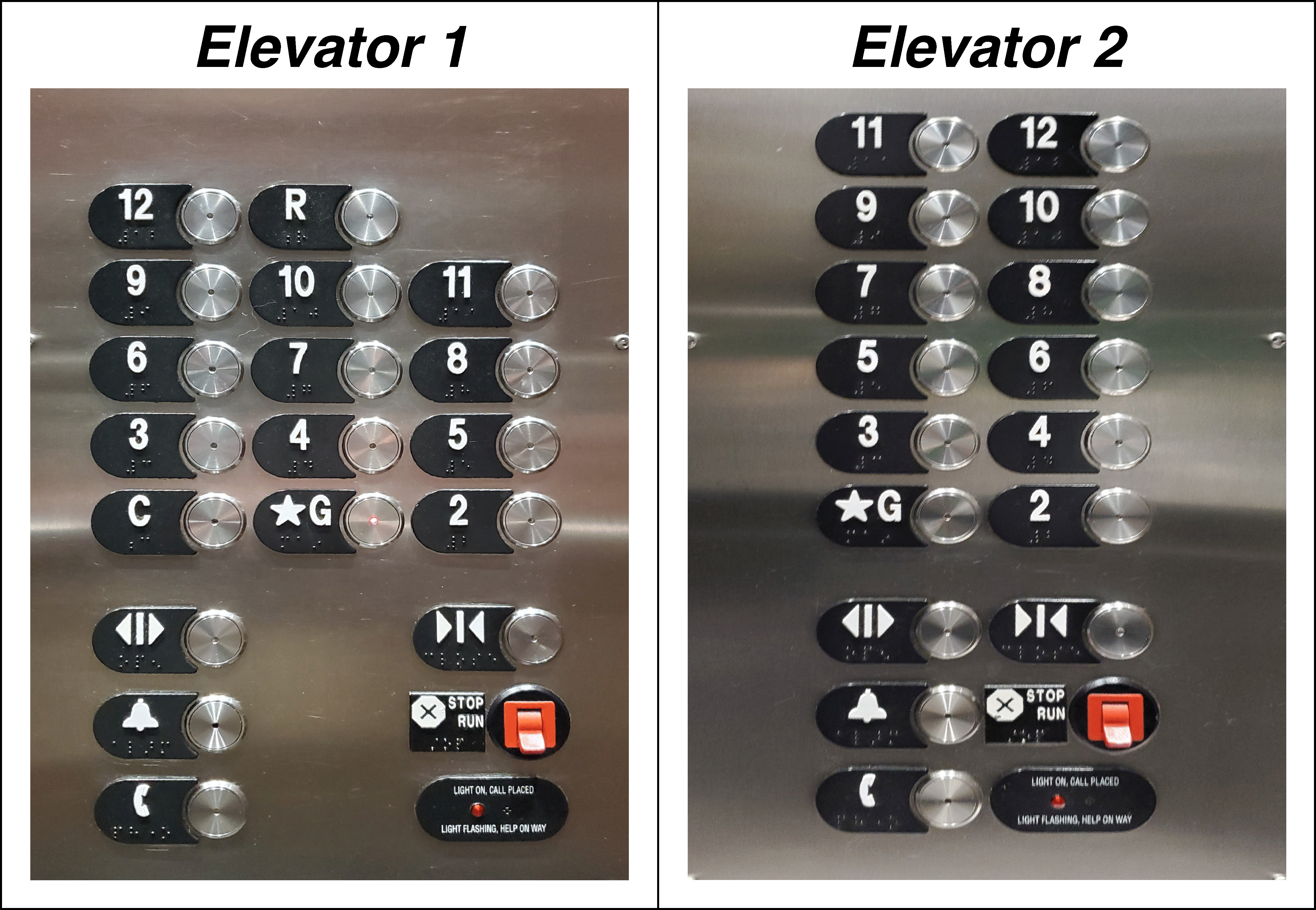
I frequenty see people suddenly struggle to identify which button to press as one more person runs to get inside the elevator. And I don’t think it is to shut the hurried person out. No. They are trying to quickly identify and push the “Open Door” button but are confused by the icons. Why do both icons have the vertical line between the arrows? What does that mean? Why are the buttons placed so ar apart? Isn’t there a better way to show these controls?